

Plan your next meeting
Turn one request into a schedule
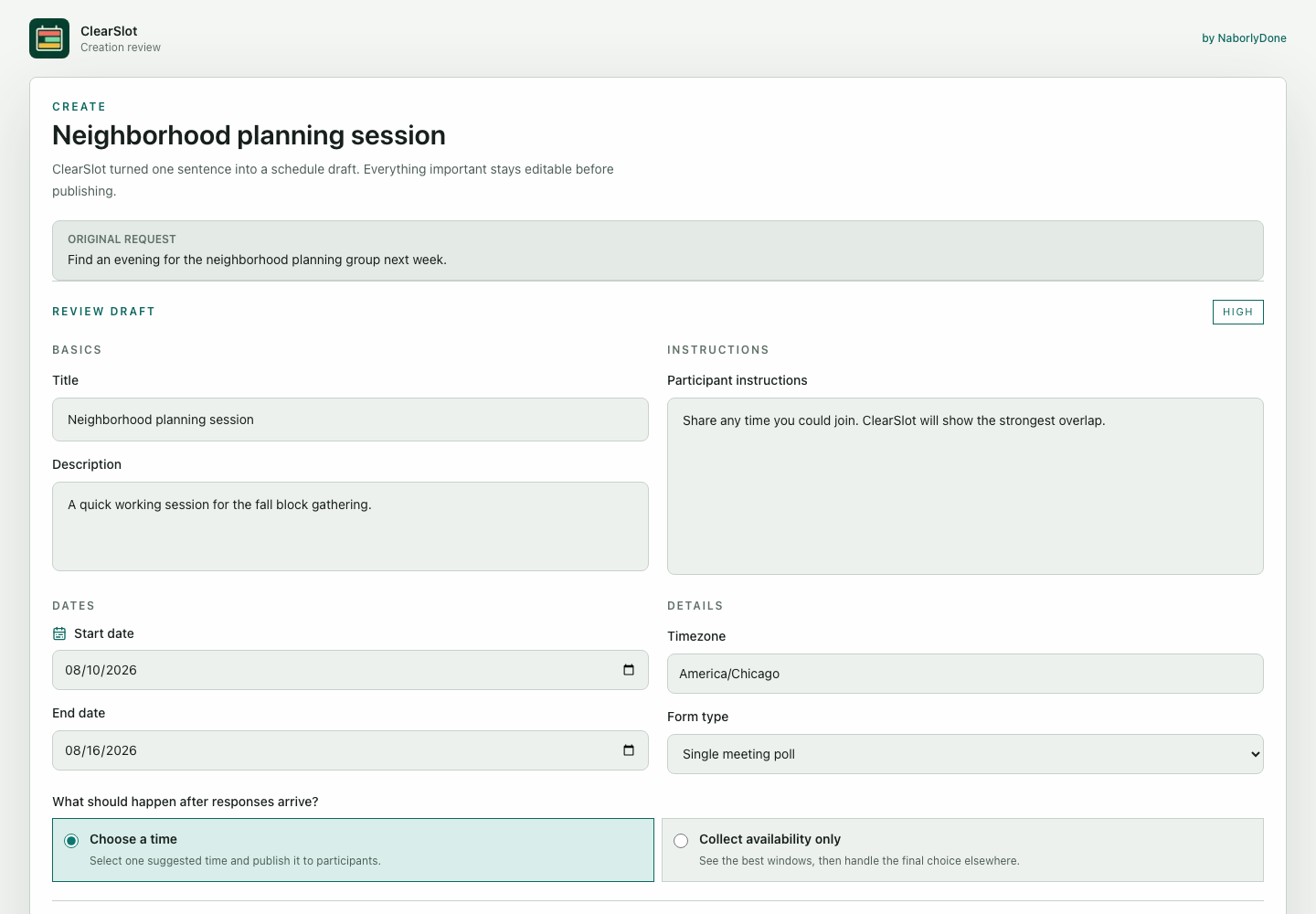
Say or type the dates, timing, and purpose in ordinary words, then review the draft before it goes anywhere.
Let people answer without an account
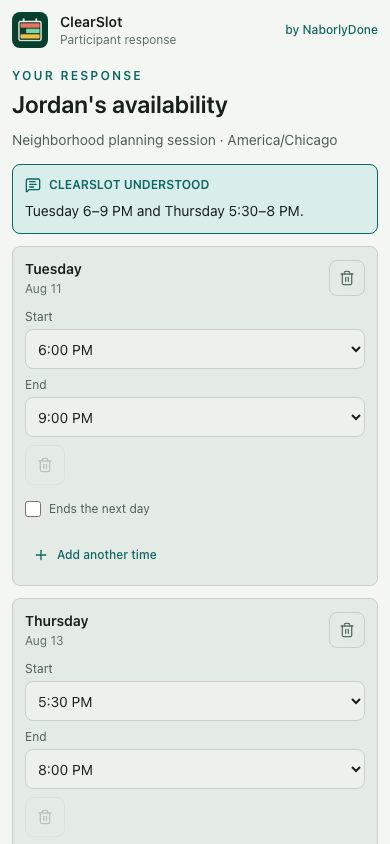
Participants can open one link, add a name, and share the times that work.
Choose from the strongest overlap
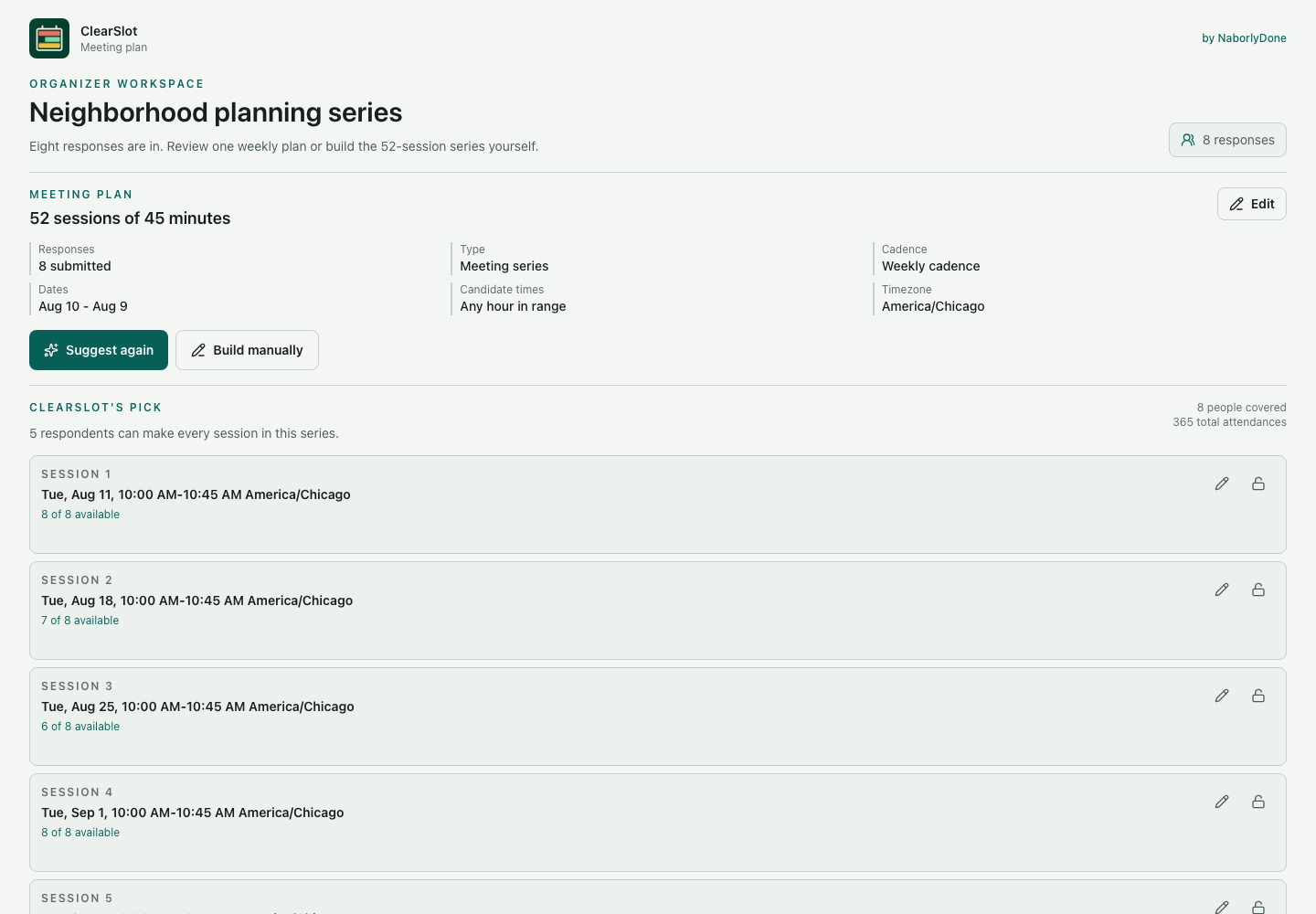
Set the meeting length, then ask ClearSlot to rank a complete plan from the submitted responses.
From request to meeting
Fictional example:
- Describe the meeting. “Find an hour for our neighborhood group next week.” Review, then publish.
- Share one link. Everyone reviews and submits their availability.
- Review the overlap. Example: Thursday, 6:30 to 7:30 p.m. works for 5 of 6.
- Choose your meeting. Consider absences, then publish a time. Availability does not confirm attendance.
Creation, response, and plan review in the real product
Fictional product captures. The plan workspace shows a separate 52-session series.
For groups that need an answer, not another meeting about the meeting
Use ClearSlot for neighborhood groups, clubs, volunteer teams, families, small organizations, and any gathering where a plain link is easier than a new account.
Club Organizer Teams let the owner invite people by exact email address from any domain to manage shared schedules. Organizers can manage schedules; billing, seats, invitations, and team membership remain owner-only.
Keep the response flow light
- Participants can respond with only a name. An email for updates is optional, and a participant account is not required.
- Recorded audio is uploaded only long enough to transcribe and is not stored; the editable transcript and resulting availability can be saved.
- Google Calendar and iCloud import request free/busy information only, create an unsaved draft for review, and do not add events automatically.
- Organizers can set a meeting duration from 15 minutes to 24 hours and can edit it without using another AI assist.
- ClearSlot ranks meeting plans deterministically from submitted availability. Requesting a suggestion does not use an AI assist.
- Organizers can independently enable a duration-aware group availability heatmap or a complete shared meeting suggestion. Those views use submitted responses, require at least three submitted responses, and are visible only to an Organizer-approved participant viewer.
- Organizers can enable an optional named session roster only before the first successful response. An approved participant with a current submitted response can see submitted names under exact suggested or published sessions their availability fully covers; a roster does not predict or confirm attendance.
Start free, then add room when you need it
Free: single meetings. Plus: meeting series and calendar import. Club: shared organizing. Participants don’t use organizer seats. Every plan keeps manual scheduling available.
Free
$0 forever
- Open schedules
- 3
- People per schedule
- 50
- AI assists each month
- 150
- Organizer seats
- 1
- Calendar free/busy import
- Not included
- Meeting plan suggestions
- Included
- Multi-session publishing
- Not included
- Meetings per schedule
- 1
Plus
$5/month
$48/year
- Open schedules
- 25
- People per schedule
- 100
- AI assists each month
- 1,000
- Organizer seats
- 1
- Calendar free/busy import
- Included
- Meeting plan suggestions
- Included
- Multi-session publishing
- Included
- Meetings per schedule
- Up to 12
Club
$12/month
- Open schedules
- 100
- People per schedule
- 250
- AI assists each month
- 5,000
- Organizer seats
- 5
- Calendar free/busy import
- Included
- Meeting plan suggestions
- Included
- Multi-session publishing
- Included
- Meetings per schedule
- Up to 52
Open ClearSlot5 organizer seats included.
Add up to 20 organizer seats for $3 each per month.
Maximum 25 organizers.
Calendar import currently supports Google Calendar and iCloud. It reads free/busy information only, creates an unsaved draft for review, and does not add events automatically.
Paid plans are billed in USD where Stripe supports the customer and card. Listed prices exclude applicable taxes; the final total is shown in Checkout. Returning starts verification and does not grant paid access by itself. Review the Terms or contact billing support.
ClearSlot FAQ
How schedules, plans, privacy, calendars, and Organizer Teams work.
How ClearSlot works
What is ClearSlot, and how does it work?
ClearSlot helps a group turn everyone's availability into a meeting plan. An organizer describes the schedule, reviews the generated draft, and shares one link; participants submit the times that work for them, and the organizer reviews the strongest plan before publishing it or closing collection.
Do participants need a ClearSlot account?
No. Participants can respond with only a name. An email for updates is optional, and a participant account is not required. Organizers sign in to create and manage schedules.
What is the difference between a schedule and a meeting?
A schedule is one ClearSlot form or shared link used to collect availability. A meeting is one final session selected or published from that schedule. For example, one weekly-series schedule can collect responses once and publish several meetings when the organizer's plan includes multi-session publishing.
What are meeting-plan suggestions?
ClearSlot ranks meeting plans deterministically from submitted availability. Requesting a suggestion does not use an AI assist. The ranking considers the required duration, number of sessions, and selected cadence. The organizer reviews the suggestion and can adjust the plan before publishing it.
Plans and limits
What does “open schedules” mean?
An open schedule is still collecting responses and uses one slot toward your concurrent open-schedule limit; the limit is not a lifetime total. Closing a schedule stops new responses, keeps its submitted data in All Forms, and frees that slot for another schedule. You can reopen it later if a slot is available, or the workspace owner can permanently delete it after confirming the form title. Permanent deletion cannot be undone. The current limits are 3 for Free, 25 for Plus, and 100 for Club.
What does “people per schedule” mean?
This is the maximum number of participants who can join one schedule, not the number of organizers who can manage it. The current limits are 50 people on Free, 100 on Plus, and 250 on Club.
What counts as an AI assist?
An AI assist is a successful AI-supported request to create a schedule draft, interpret or summarize availability, or transcribe voice input. The Organizer Team shares one monthly allowance across all of its schedules: 150 on Free, 1,000 on Plus, and 5,000 on Club. If every routed provider fails, the reserved assist is refunded and does not reduce the monthly allowance.
What happens when the monthly AI-assist limit is reached?
New AI-supported requests pause until the next monthly allowance or a plan upgrade provides more capacity. Existing schedules and submitted availability remain available, and manual editing still works. Calendar import also remains available when the schedule's plan includes it.
What is the difference between multi-session publishing and meetings per schedule?
Multi-session publishing answers whether a schedule can publish more than one meeting; meetings per schedule is the maximum number it can publish. Free publishes one meeting, Plus can publish up to 12, and Club can publish up to 52. For example, an eight-session weekly series uses one open schedule and publishes eight meetings.
What is an organizer seat?
An organizer seat is one signed-in person; the owner uses one seat, while participants who only respond to a schedule use none. Club Organizer Teams let the owner invite people by exact email address from any domain to manage shared schedules. Organizers can manage schedules; billing, seats, invitations, and team membership remain owner-only.
Which plan should I choose?
Free fits one organizer running a few one-meeting schedules without Calendar import. Plus fits one organizer who needs more capacity, Calendar import, or as many as 12 meetings from one schedule. Club adds shared Organizer Team management, the highest schedule and participant limits, and up to 52 meetings per schedule; choose the smallest plan whose capacity and features cover the way you expect to schedule.
Calendars and privacy
What does calendar free/busy import do?
On Plus and Club schedules, organizers and participants can connect up to three supported Google Calendar or iCloud accounts. Google Calendar and iCloud import request free/busy information only, create an unsaved draft for review, and do not add events automatically. ClearSlot does not import event titles, attendees, notes, or locations. The user reviews and saves the draft explicitly.
What participant and voice information does ClearSlot use or store?
Participants can respond with only a name. An email for updates is optional, and a participant account is not required. A schedule stores the participant's submitted name and reviewed availability; optional participant email and notification preferences are kept outside the public participant record. Recorded audio is uploaded only long enough to transcribe and is not stored; the editable transcript and resulting availability can be saved.
Who can see schedule information, and how do I request access or deletion?
Anyone with the public schedule link may be able to see schedule information, participant names, response status, and aggregated availability intentionally shown on that page. Organizers can independently enable a duration-aware group availability heatmap or a complete shared meeting suggestion. Those views use submitted responses, require at least three submitted responses, and are visible only to an Organizer-approved participant viewer. Organizers can enable an optional named session roster only before the first successful response. An approved participant with a current submitted response can see submitted names under exact suggested or published sessions their availability fully covers; a roster does not predict or confirm attendance. Participant email and notification preferences are stored outside public participant records. Organizers and participants start access or deletion requests inside ClearSlot so the product can verify the exact person and scope. See the Privacy Policy for retention, verification, and provider exceptions.
Purchasing
How are Free, Plus, and Club billed?
Free costs $0 forever and does not renew. Plus is $5/month or $48/year, charged once per year; Club is $12/month. Paid subscriptions renew until canceled. Checkout shows taxes and the final total. Returning starts verification; paid access appears only after authoritative confirmation. See the Terms or contact billing support.
Can I change or cancel my plan?
The owner manages plan changes and cancellation. Plus-monthly to Club-monthly is immediate with Stripe-calculated proration; downgrades and interval changes occur at renewal. Cancellation ends paid access after the current paid period. Existing open paid schedules ordinarily retain their creation-time features, subject to the fraud-or-dispute override in the Terms. Unused time is not automatically refunded except where required by law. If a successful payment remains unfulfilled and unreconciled for one hour, the verified billing operator may fully refund that transaction and immediately cancel its subscription.
How do additional Club organizer seats work?
Club includes 5 total organizer seats, including the owner. The owner can add up to 20 more seats for $3/month each, for a maximum of 25 organizers. Seat increases are billed immediately with Stripe-calculated proration, and reductions take effect at the next renewal. If the team would have more organizers or pending invitations than the reduced capacity, the owner must select enough pending invitations or active non-owner organizers to become inactive at the effective date before confirming the reduction.
Still have a question? Contact naborlydone with ClearSlot and General question preselected.
One less scheduling thread