
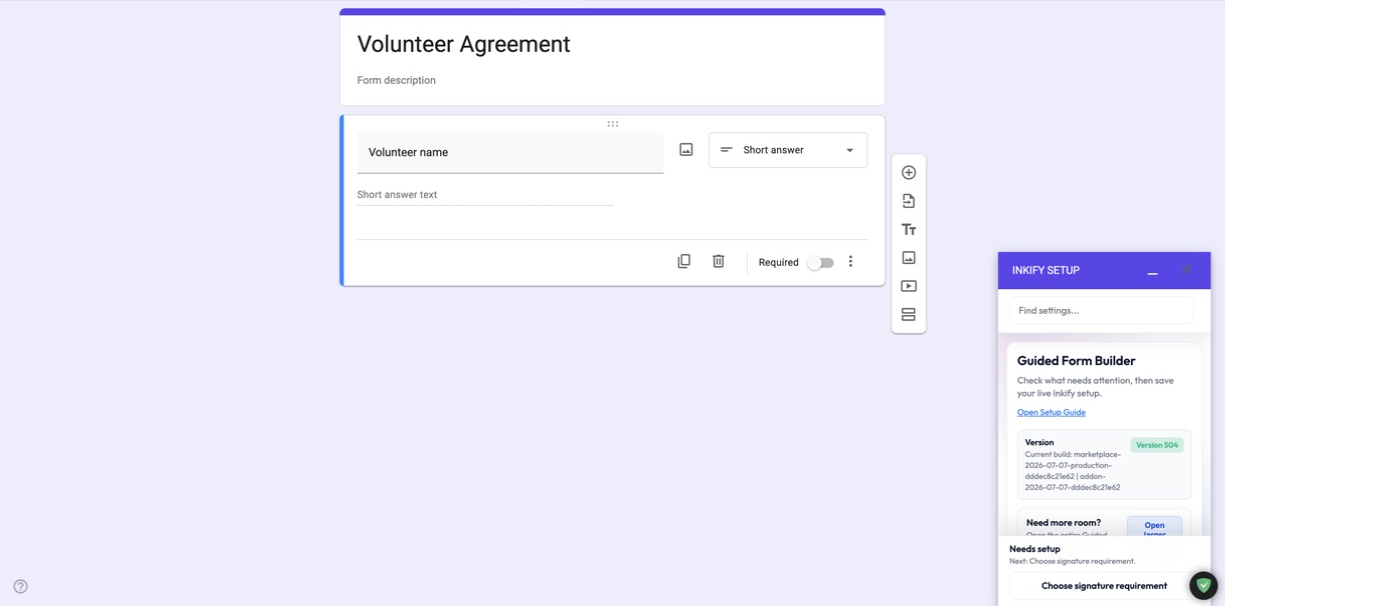
Signing that fits the way your organization already works
Inkify adds a clear signing layer to Google Forms without asking teams to move their records into a separate document system.
Add signatures without replacing Google Forms
Keep familiar form building and response workflows while adding typed or drawn signatures.
Keep final records in your Workspace
Work from the Drive, Sheets, Forms, and email tools your organization already controls.
Give signers a clear mobile flow
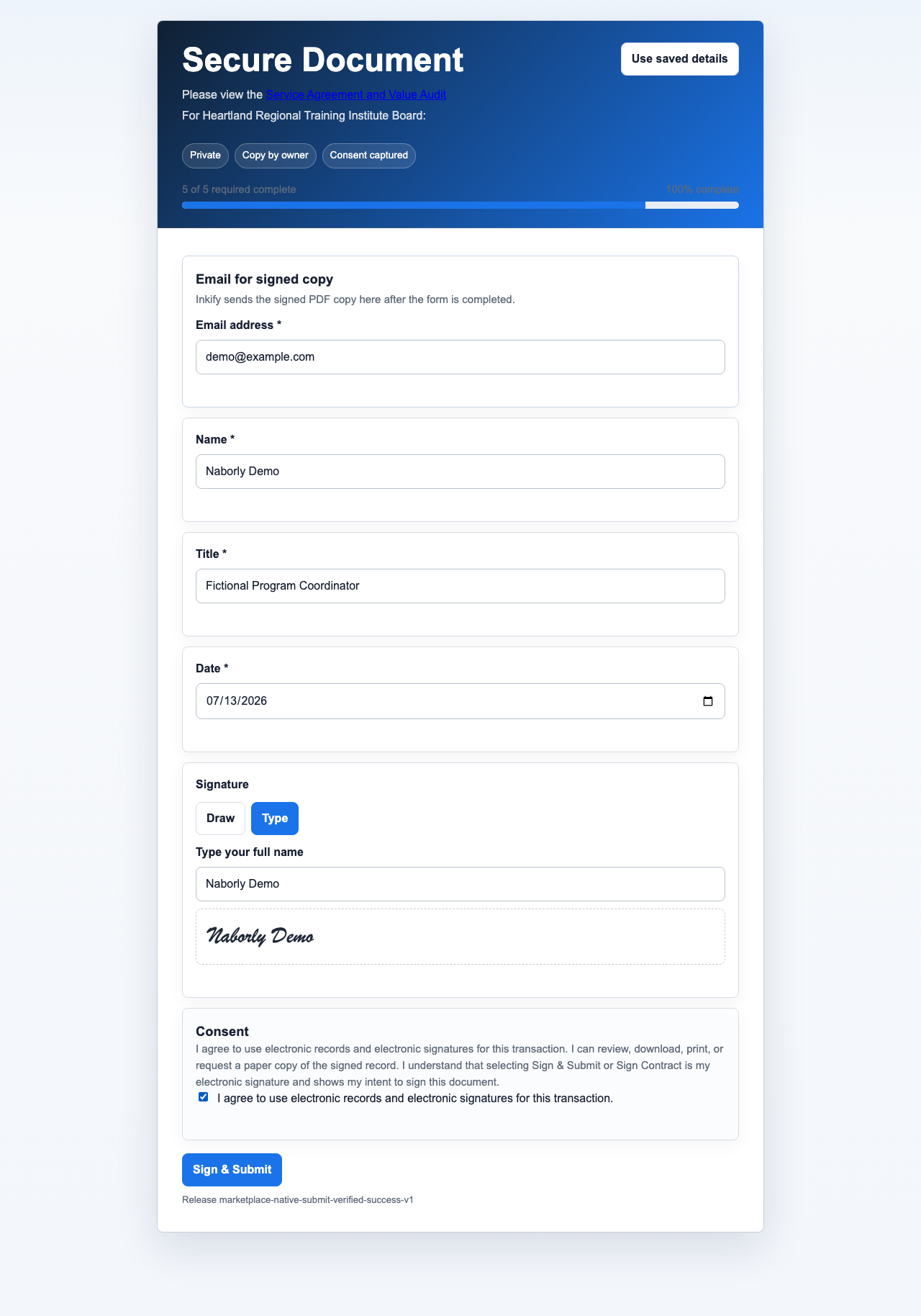
Present a focused experience with validation, consent, progress, and a signed copy option.
From a Google Form to a finished record
Add Inkify to a form, identify the fields that need signatures, and choose how the final document should be assembled. Inkify coordinates the signing page while the form owner continues to manage the underlying workflow in Google Workspace.
- Prepare the form. Add the questions, signature fields, consent language, and recipient details your workflow needs.
- Configure the output. Use the setup guide to connect a template, response sheet, and destination folder.
- Share the signing link. Signers complete the form on desktop or mobile and can receive the finished copy from the form owner.
- Review and verify. Owners can manage supported workflows in the Inkify Hub, and recipients can inspect supported evidence in the PDF verifier.
Zero-knowledge custody for signing records
Finalized form responses and signed PDF records stay in the form owner’s Google Workspace. Inkify coordinates configuration, licensing, routing, and optional signer tools without becoming the final records vault.
naborlydone does not retain form answers, signatures, signed PDFs, response Sheets, templates, private signing keys, signed-copy email content, or private workflow records. Inkify retains only operational metadata needed to run the service.
Supported records can include transaction, consent, timestamp, and integrity context for audit-supporting records.
Organization administrators can review Team Seat options and manage purchased access through the Inkify Hub.
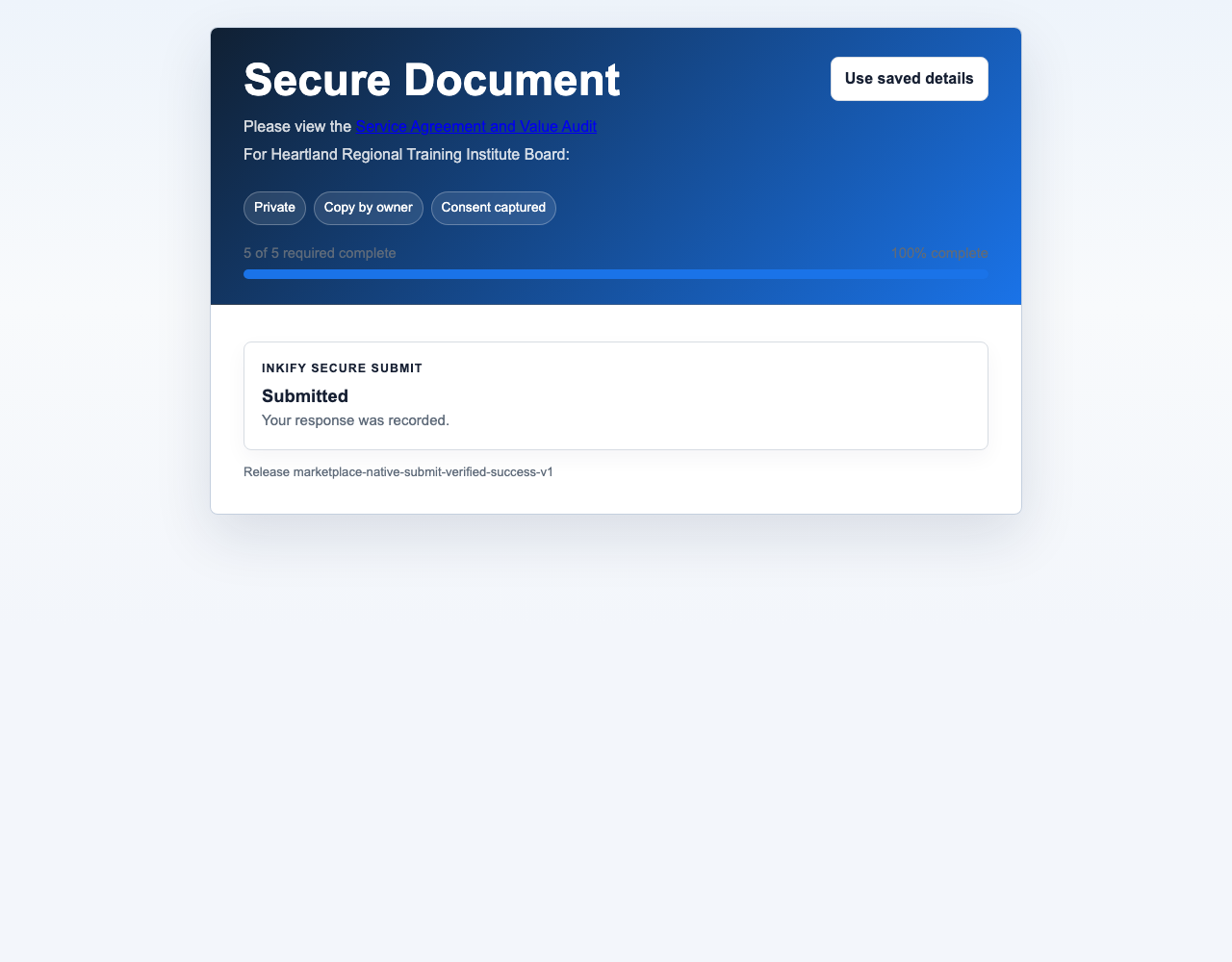
See the actual signing workflow
These captures show the signer experience and the finalized record output from the current product.
For teams that already depend on Google Workspace
Inkify is a practical fit for small organizations, schools, community groups, service providers, and internal teams that need signatures without introducing another document repository.
- Collect acknowledgements, waivers, approvals, and agreements.
- Build mobile-friendly signing flows for occasional or repeat signers.
- Keep setup understandable for the person who owns the form.
Ownership is part of the product design
- naborlydone does not sell personal data processed through Inkify.
- Finalized form responses and signed PDF records stay in the form owner’s Google Workspace.
- naborlydone does not retain form answers, signatures, signed PDFs, response Sheets, templates, private signing keys, signed-copy email content, or private workflow records. Inkify retains only operational metadata needed to run the service.
- Inkify’s optional setup helper processes the current request without storing the chat transcript.
- Inkify is available worldwide through Google Workspace Marketplace.
Choose the level that fits the workflow
Start with the free trial. Owner licenses, Enterprise access, and optional saved profiles use separate checkout offers.
Free Trial
Form owners evaluating Inkify
- Up to 50 finalized submissions
- Manual signing remains free for signees
Lifetime
Individual form owners
$20.90 once
- One owner license
- No recurring owner subscription
Enterprise
Organizations using advanced administration and workflows
$29.99 per month
- Administrative controls
- Workflow, branding, and payment features
Saved Profile Monthly
Signees who choose to save reusable details
$2 per month
- Optional encrypted saved details
- Manual signing remains available without a profile
Saved Profile Yearly
Signees who choose annual saved-profile access
$20 per year
- Optional encrypted saved details
- Annual billing instead of monthly billing
Start with Inkify
Add signatures to Google Forms while keeping responses and final PDFs in your Google Workspace.