Voice Writer

Speak freely.
Write clearly.

Turn spoken thoughts into writing that sounds like you.

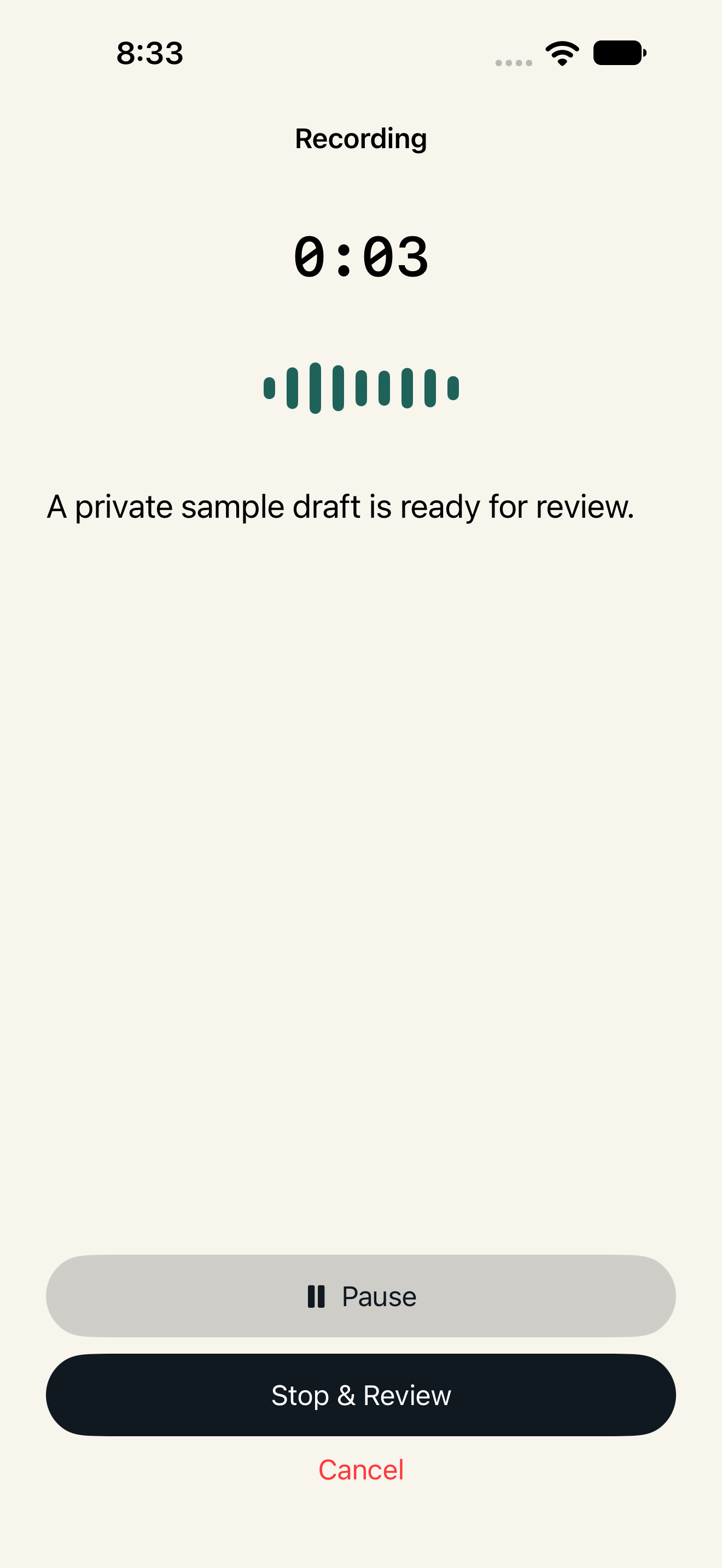
Voice Writer recording a thought on iPhone.
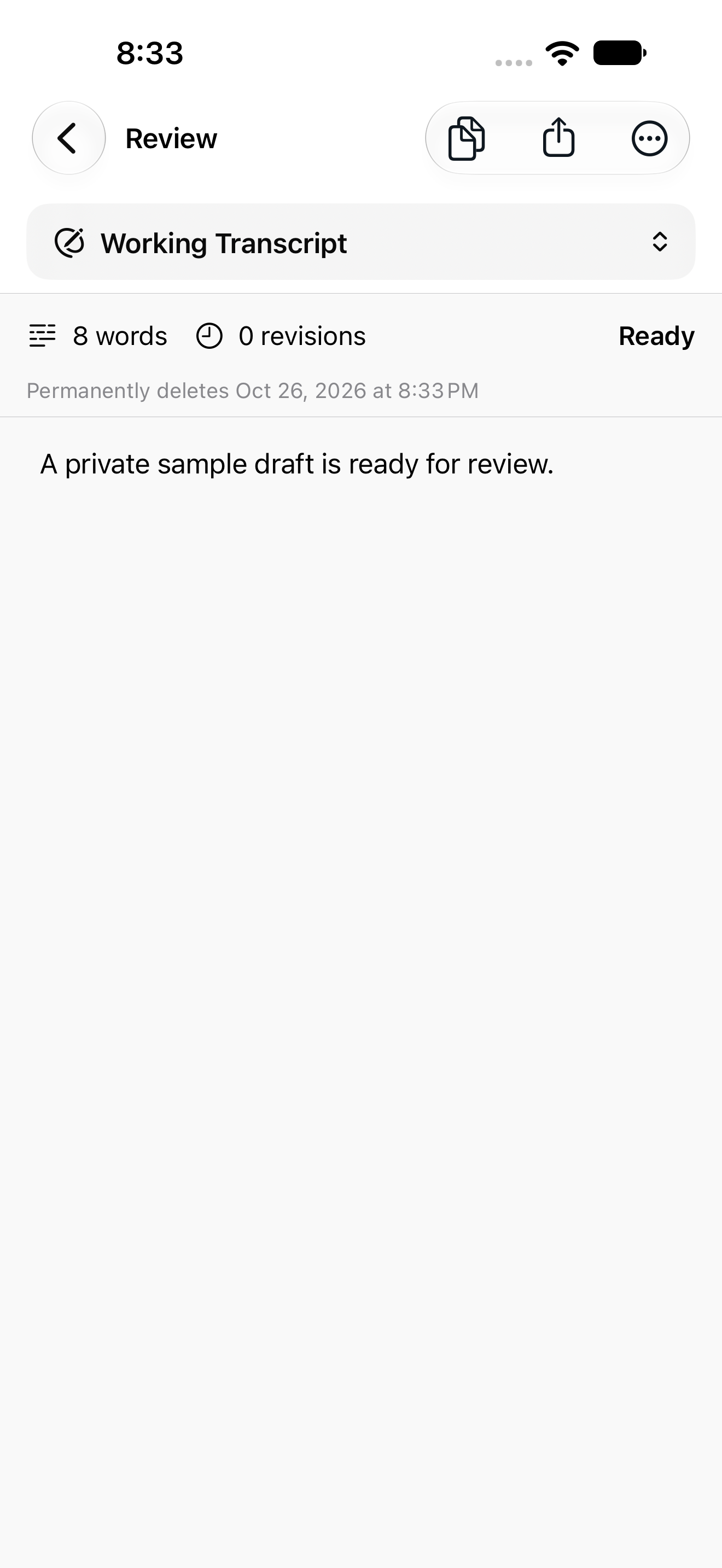
Voice Writer showing a transcript ready to review and edit on iPhone.

Start with a thought.
Leave with your words.

An email that is easier to say. A note you want to catch. A first draft that needs a little room.

Voice Writer gives your spoken ideas somewhere to land, then keeps you in control of what comes next.

A look inside Voice Writer.

The iPhone app, from first thought to final edit. Select a screenshot to explore it.

Live transcription in the Voice Writer iPhone app.

Speak naturally.

Capture a thought while it is fresh. Follow your words as they appear.

Voice Writer transcript review with captured text and an editable working version.

Make it yours.

Review the transcript, refine it, and edit until it says what you mean.

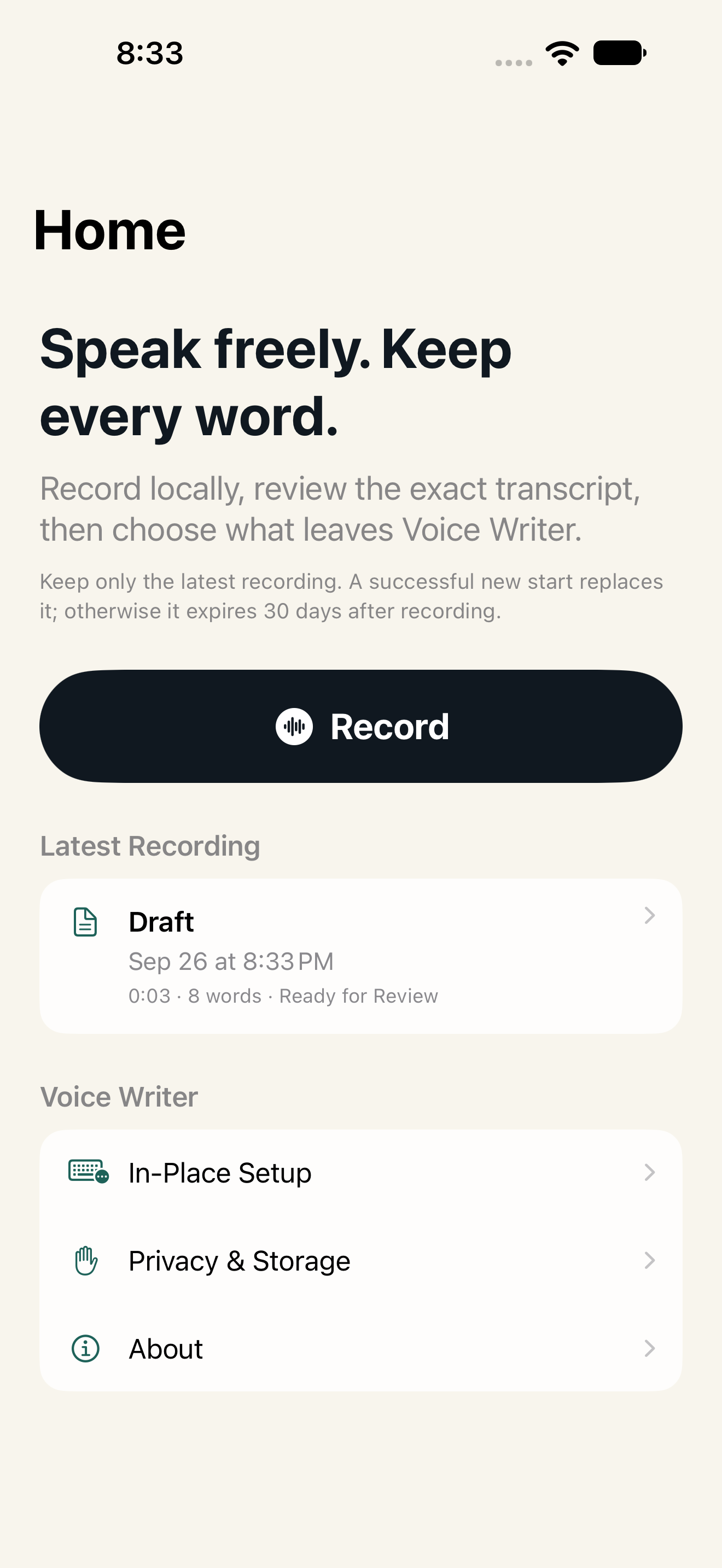
The latest recording in Voice Writer, ready for review.

Choose what comes next.

Keep your latest recording close. Copy or share when you are ready.

Your voice. Your choice.

Thoughtfully local.
Always yours to review.

Read the privacy policy
A local recording library
The standalone apps keep your recordings and drafts on your device. No Voice Writer account, ads, or analytics.
Room for your latest thought
A new recording replaces the previous one only after it starts successfully. The local recording limit is 30 days.
Refinement you choose
Optional Shortcut refinement can send a complete transcript to your chosen model after your consent. You decide what to copy or share.

Voice Writer in other products

A familiar voice.
More places to use it.

Voice Writer is also technology for voice features across naborlydone products, built into the task at hand.

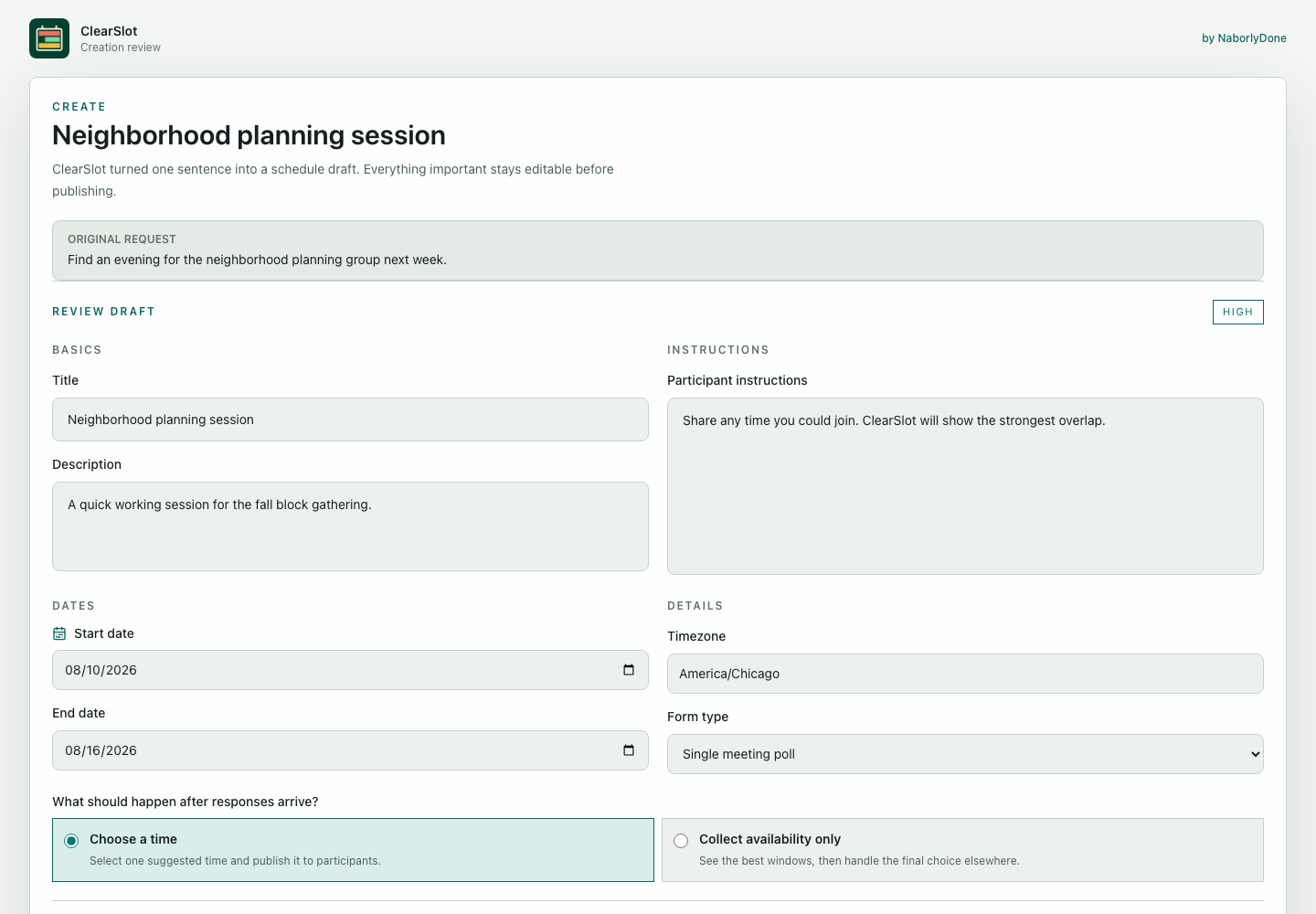
ClearSlot reviewing a fictional Neighborhood planning session before it is shared.

ClearSlot

Say when. Find a time.

In ClearSlot, Voice Writer turns a spoken scheduling request into a draft you can review and correct before continuing.

Explore ClearSlot

Voice features follow ClearSlot’s availability, usage limits, and privacy policy.

We are bringing Voice Writer to more naborlydone apps. New integrations will appear here as they become available.

Your next draft starts here.

Free standalone apps for Mac and iPhone. Official download links will be available here when each version launches.

Voice Writer for Mac

Turn spoken thoughts into writing at your desk.

Coming soon

Voice Writer for iPhone

Capture, review, and share a thought wherever it finds you.

Coming soon

Get naborlydone product updates

A few things to know.

What is Voice Writer?

Voice Writer turns speech into text you can review and refine. It is being developed as a standalone app for Mac and iPhone, and its technology also supports voice features inside other naborlydone products.

Where can I download Voice Writer?

The standalone Mac and iPhone apps are coming soon. Official download links will appear on this page when each version is released.

Is Voice Writer free?

The standalone apps are free, with no Voice Writer account or subscription. Optional model services have their own terms. Voice features inside another product follow that product’s plan.

What happens to my recordings?

The standalone apps keep the latest recording in their local library until a successfully started new recording replaces it, you delete it, or its 30-day limit expires. Existing users can review or export older recordings before choosing permanent deletion. Exported copies remain under your control.

Does my speech leave my device?

The standalone apps use Apple speech recognition and keep recording audio locally. With your consent, optional Shortcut refinement can send a complete transcript to the model you choose. Voice features inside other products, including ClearSlot, have their own processing and privacy policies.

How does Voice Writer work in ClearSlot?

ClearSlot uses Voice Writer technology to help turn spoken scheduling requests into editable drafts. You review and correct the draft before continuing. You do not need to install the standalone Voice Writer app to use the integration.

Atmosphere

Choose a theme

Auto currently follows Day.

Product screenshot

Loading screenshot…

100%

Use Left and Right Arrow to change screenshots. Use Plus and Minus to zoom, Zero to reset, and Shift plus Arrow keys to pan a zoomed screenshot.